Members & roles
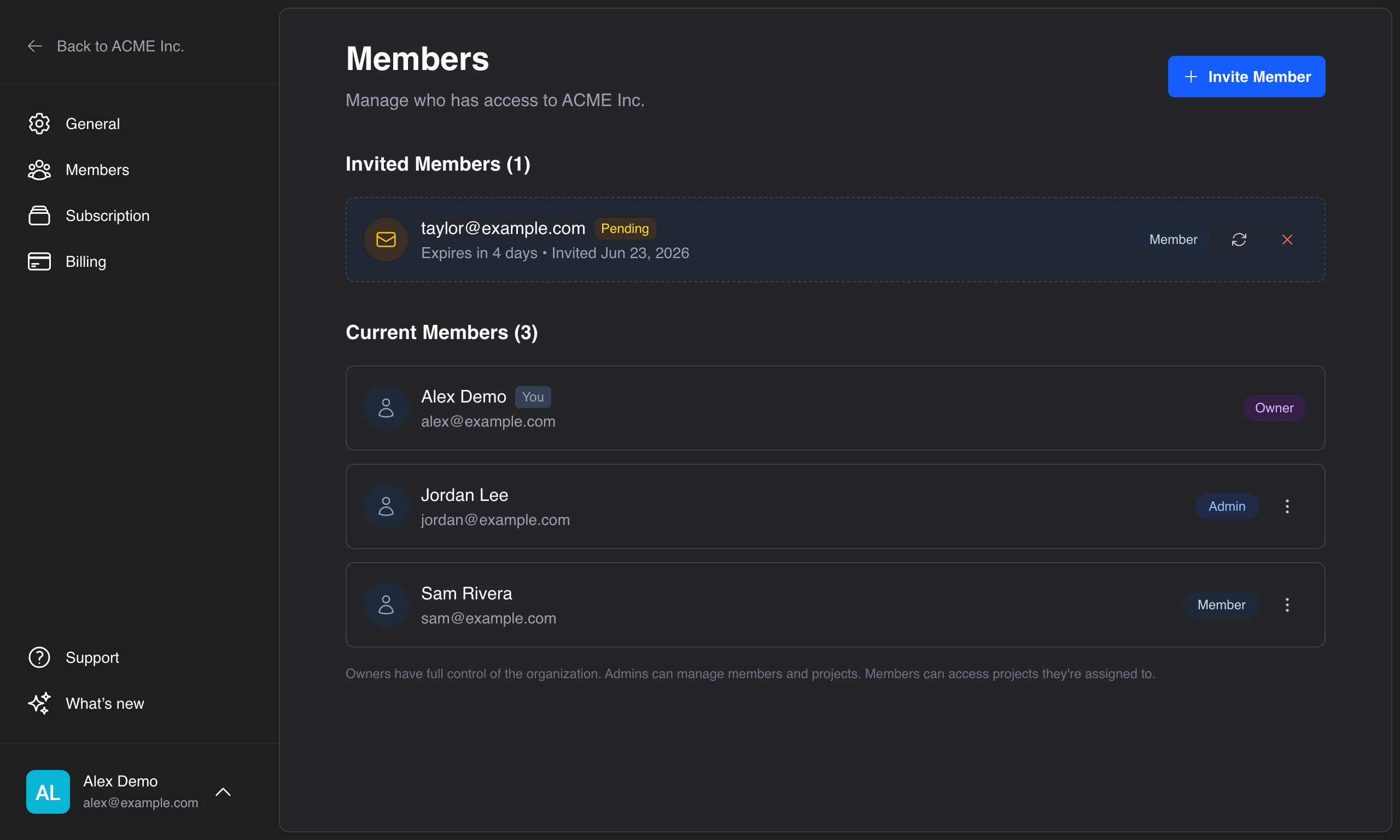
Invite people to your organization and control what they can do. Member management lives under Settings → Members.
tip
Inviting, removing, and re-roling members requires the owner or admin role. Members can see the organization's projects but can't manage other people.
Roles
Every member has one of three roles:
| Role | Can do |
|---|---|
| Owner | Everything — including managing billing and subscriptions, managing all members and roles, and deleting the organization. |
| Admin | Invite and remove members, create and manage projects, and access all projects. |
| Member | Access the organization's projects. |
An organization can have several owners, but there must always be at least one.
Inviting a member
- Go to Settings → Members and click Invite Member.
- Enter the person's email address.
- Choose a role (Member, Admin, or Owner) from the dropdown. The default is Member.
- Click Send Invite.
The invitation is emailed to that address and appears under Invited Members.
- Invitations expire after 7 days.
- The invitee doesn't need an Anvil account yet — they'll be prompted to create one when they accept.
note
If you've reached your plan's member limit, the invite form is replaced by an upgrade prompt. See Subscription to add seats or change plans.
Managing pending invitations
Under Invited Members, each pending invitation can be:
- Resend — send a fresh email and reset the 7-day expiry.
- Revoke — cancel the invitation so the link no longer works.
Changing a member's role
- Go to Settings → Members.
- Open the ⋯ menu next to the member and choose Change Role.
- Pick the new role — you'll see what each role can do — and confirm.
Removing a member
- Open the ⋯ menu next to the member and choose Remove.
- Confirm the removal.
Rules that keep things safe
- You can't manage members with the same or higher privilege than your own role — an admin can't change or remove an owner, for instance.
- You can't remove or demote the last owner; promote someone else to owner first.
Further reading
- Managing your organization — general settings and deletion
- Subscription — member limits and adding seats