Subscription
The Settings → Subscription page shows your organization's current plan, how much of it you're using, and the controls to change plans.
Managing the subscription requires the owner or admin role. Billing is per organization — each one has its own plan and payment.
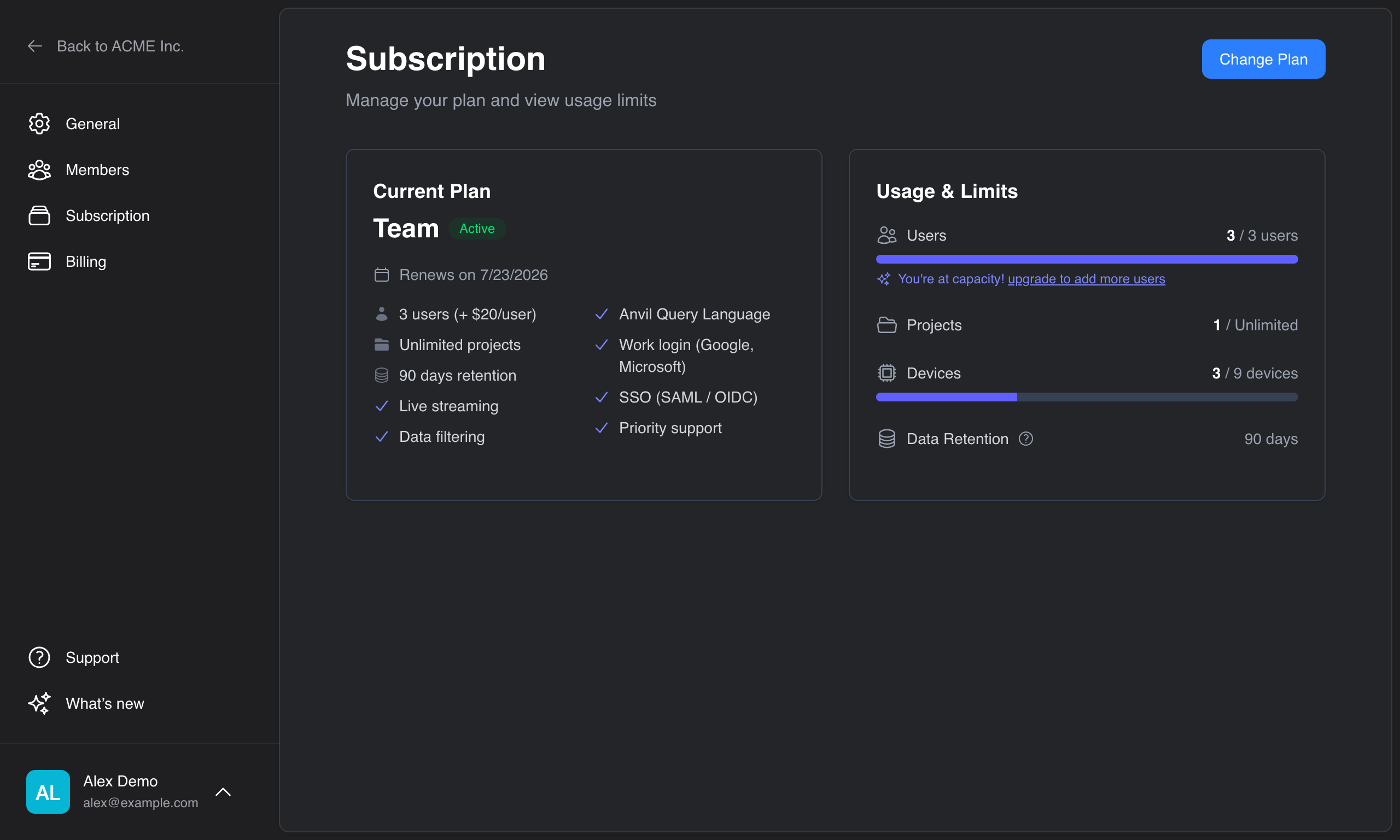
Your current plan
The page shows your active plan, its status, your renewal date, and the full list of what the plan includes.
A Usage & Limits panel tracks where you stand against your plan's allowances — Members, Projects, and Devices each show a count against your limit with a meter that turns amber as you approach it, plus your data retention window. When you reach a limit, Anvil stops you creating more of that resource and points you to upgrade.
Changing your plan
- On the Subscription page, click Change Plan.
- Compare the tiers and choose one:
- Upgrade to a higher tier.
- Downgrade to a lower tier.
- Contact Sales for Enterprise (it isn't self-serve).
- Confirm the change.
How a change takes effect depends on the direction:
- Upgrades apply immediately. You'll see a cost preview — the prorated charge for the rest of the current billing period, plus any tax — and confirm with a payment method. You're billed at the new rate from then on.
- Downgrades apply at the end of your current billing period, so you keep what you've paid for until then. Anvil tells you which features you'll lose before you confirm.
A scheduled change (such as a pending downgrade) is shown on the page until it takes effect.
Cancelling
Cancelling stops future billing. Your subscription stays active until the end of the current period, then the organization moves to the free Hobby plan with its lower limits and shorter retention.
If a payment fails
If a payment can't be collected, the subscription becomes past due and the organization goes read-only — existing data stays visible, but new telemetry isn't ingested until the payment method is updated. The Subscription page shows an alert with a link to fix it; see Billing to update your card.
Further reading
- Plans — what the tiers include
- Billing — payment methods and invoices
- Members & roles — adding seats